
Business trips run on tighter schedules than vacations. You’ve got meetings at specific times, client dinners you can’t be late to, and an expense report waiting for you when you get back. The planning tool needs to match: structured, professional, and focused on logistics over leisure.
This free business trip itinerary template organizes your work travel around meetings, transportation, and expenses. It’s designed so you can hand it to an assistant, share it with a colleague, or submit it alongside your expense report — and anyone reading it will understand your full trip at a glance.
What’s in This Template
1. Trip Summary
The executive overview: trip purpose, dates, destination city, company or client you’re visiting, your travel approval or PO number, and total estimated budget. This is the block your manager sees when approving the trip or your admin sees when booking on your behalf.
2. Meeting & Appointment Schedule
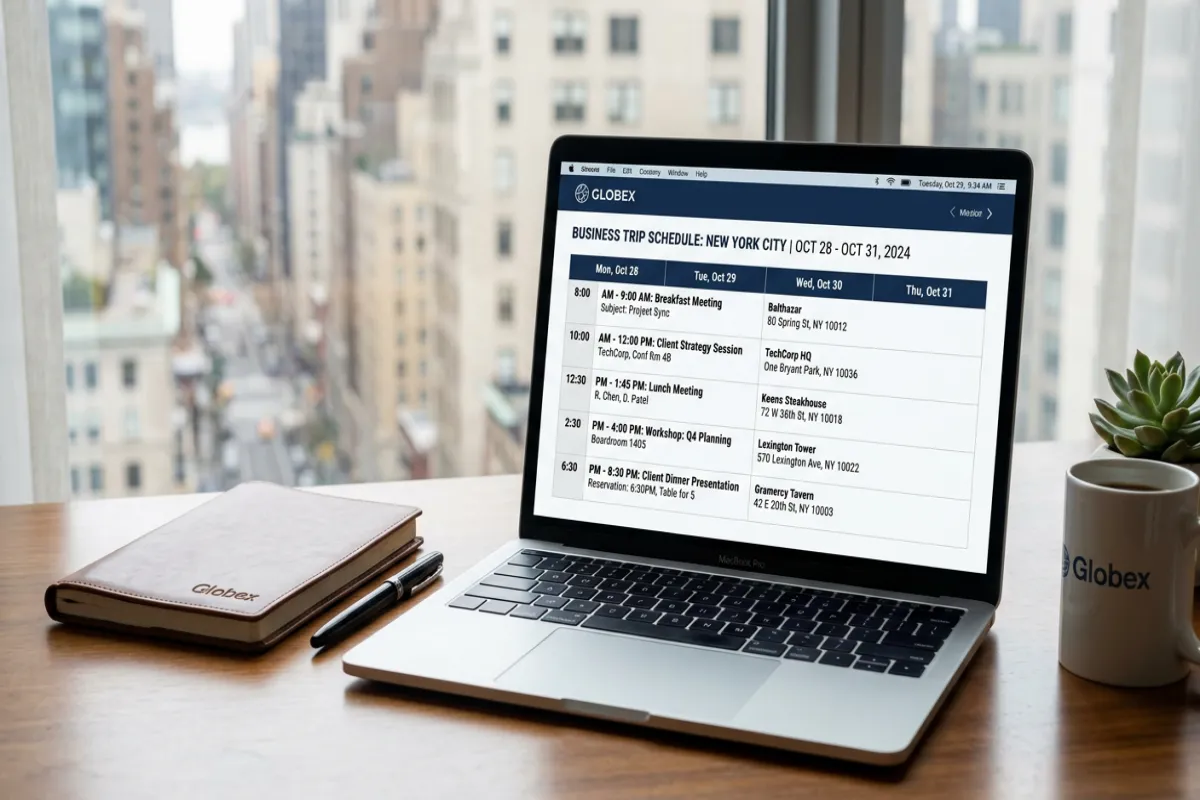
The backbone of a business trip. Each entry: date, time, meeting title, attendees, location (office address, conference room, restaurant), preparation notes, and materials to bring. Sorted chronologically so your days are mapped out meeting by meeting. Includes buffer time between appointments for travel across town.
3. Client & Contact Directory
Every person you’re meeting: name, title, company, phone, email, office address, and relationship notes (“met at Q3 conference,” “primary decision maker on the project”). Having this on one page saves you from digging through email threads when you need to call someone.
4. Flight & Transportation
All your travel legs: airline, flight number, route, departure and arrival times, seat, confirmation code, and cost. Below that, ground transportation: rental car confirmation, ride-share estimates, train or subway routes, and office-to-airport transfer plans. Includes a column for whether each expense is company-paid, reimbursable, or personal.
5. Accommodation
Hotel details: property name, address, check-in and check-out times, confirmation number, nightly rate, Wi-Fi network and password, and your corporate rate code if applicable. Notes column for gym hours, business center location, and whether breakfast is included.
6. Expense Tracker
This is the section that saves you an hour when you get home. Every expense logged in real time: date, description, category (transportation, meals, lodging, parking, tips, client entertainment), amount, payment method, receipt status (photographed, saved, or missing), and reimbursement status. Categories match standard corporate expense report fields.
7. Daily Schedule
Combines meetings, transportation, and meals into one day-by-day timeline. Morning flight arrival, afternoon client meetings, evening dinner with the team, late-night hotel check-in. Each entry links back to the detailed sections above so you can quickly find the address or confirmation number you need.
Plan Your Trip Today!
Get a complete, personalized trip template in seconds.
For more details, see our trip planning guide.
Take full control to customize every detail. Or, skip the template and build your itinerary with AI
Plan My TripHow to Use It
- Start with the Meeting Schedule. Your meetings define the trip structure. Block them in first, then build everything else around them — flights that get you there on time, a hotel close to the office, dinners that don’t conflict with early morning sessions.
- Add buffer time between meetings. Allow 30-60 minutes between appointments for cross-town travel, parking, elevator waits, and the inevitable meeting that runs long. Back-to-back scheduling across different locations is a recipe for being late.
- Log expenses as they happen. The biggest expense report headache is reconstructing a trip from memory two weeks later. Open the Expense Tracker section each time you pay for something and log it immediately. Photograph every receipt.
- Share with your team. If colleagues are joining parts of the trip, share the Google Doc so everyone sees the same schedule. If your admin books travel for you, share it so they can add confirmation numbers directly.
- Export before departure. Download as PDF for offline access. Use the Yopki Travel Document Organizer to combine your itinerary with flight confirmations, hotel bookings, and meeting materials in one document.
Business Travel Tips
Book the hotel closest to your meetings, not the cheapest. The money you save on a cheaper hotel gets eaten by taxi fares and time wasted in traffic. If your meetings are downtown, stay downtown — even if it costs $40 more per night.
Carry a portable charger and a universal adapter. Your phone is your boarding pass, your GPS, your meeting notes, and your expense receipt camera. A dead phone on a business trip is an emergency. Pack backup power.
Block 30 minutes each evening for expense logging. Set a daily reminder. Logging three or four transactions while you remember them takes five minutes. Reconstructing five days of expenses from bank statements takes an hour and always misses something.
Compared to Our Other Templates
- This Business Trip Itinerary — meeting-centric with expense tracking built in. Best for corporate travel where you’re tracking costs for reimbursement.
- Travel Expense Report — dedicated expense reporting template. Best used alongside this itinerary if your company requires a separate, detailed expense submission.
- Travel Planner — comprehensive personal travel planner. Best for leisure trips, not business travel.
- Travel Itinerary (Google Docs) — general day-by-day itinerary. Best for travel that’s not meeting-driven.
FAQ
How do you create a business travel itinerary?
Start by listing your meetings and appointments — these are the fixed points your trip revolves around. Then book flights and hotels that align with your meeting schedule, allowing buffer time for cross-town travel. Add ground transportation, client contact information, and an expense tracking section. This template structures all of those elements so you can hand the document to an assistant, share it with colleagues, or attach it to your expense report.
Can my assistant use this to plan my trip?
Yes, that’s a common use case. Share the Google Doc with your assistant. They fill in flights, hotels, and transportation. You add your meetings and client contacts. The shared document becomes the single reference for the entire trip.
Does this template work for multi-city business trips?
Yes. Add a city label to each day in the Daily Schedule section and duplicate the Flight & Transportation and Accommodation sections for each city. The Meeting Schedule can span multiple cities — just sort by date and include the city in each entry.
Can I use the expense section for official reimbursement?
The Expense Tracker is designed to match common corporate expense report categories, but every company has its own submission system (Concur, Expensify, etc.). Use this template to track expenses in real time during the trip, then transfer the data into your company’s official system when you return. It makes the transfer much faster because everything’s already categorized and totaled.