
Traveling with kids changes everything about how you plan a trip. Activities need to be age-appropriate. Nap times are non-negotiable. Meals can’t be “we’ll figure it out” because hungry children don’t wait. And the packing list doubles because you need snacks, entertainment, car seats, strollers, and backup outfits for the backup outfits.
This free family vacation itinerary template is designed around the reality of traveling with children. It builds in rest time, plans meals around kid schedules (not restaurant peak hours), and includes a family packing list that covers what adults always forget to bring for kids.
What’s in This Template
1. Trip Details
Destination, dates, family members traveling (names and ages — ages matter for ticket pricing and activity eligibility), accommodation address, and key phone numbers. Below that, a note about each child’s current needs: nap schedule, food allergies or dietary restrictions, medication schedule, comfort items (specific blanket, stuffed animal), and bedtime routine. Sharing this section with grandparents or other travel companions saves a lot of in-the-moment explanations.
2. Day-by-Day Schedule
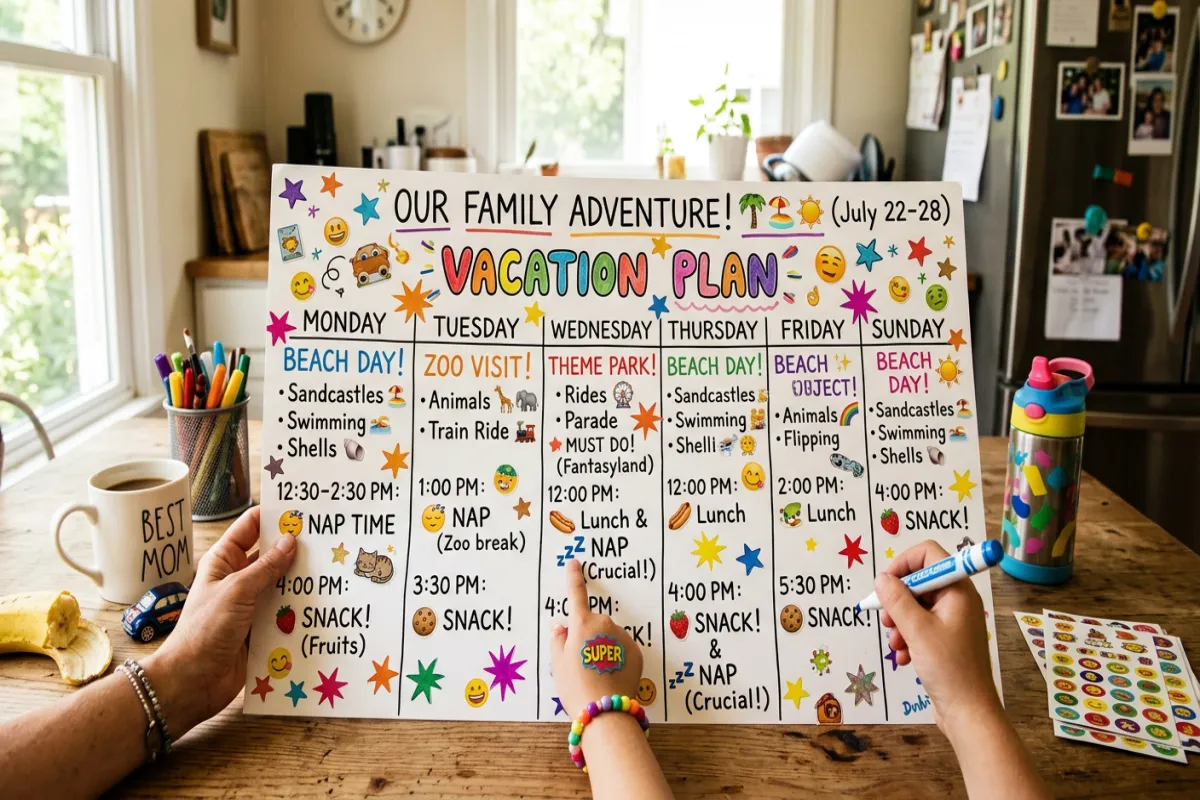
Each day divided into blocks that match family rhythms: morning activity (9 AM — when kids have the most energy), lunch break (with restaurant name or “packed lunch” note), nap or quiet time (for toddlers) or low-key activity (for older kids), afternoon activity, dinner (earlier than you’d eat without kids — 5:30 or 6 PM), and evening wind-down. Each activity has an age-appropriateness rating, estimated time, cost for adults and kids, and an indoor/outdoor tag for weather backup planning.
3. Meal Planner
Kids eat on a schedule, and vacation doesn’t change that. This section plans every meal: breakfast (hotel included? fast food? cook at the Airbnb?), lunch, dinner, and snack times. Each meal lists the restaurant or food source, kid-friendly menu items if known, location relative to your activities, and whether reservations are needed. It prevents the 11:45 AM meltdown caused by waiting until noon for lunch.
4. Activity Research
A comparison table for activities you’re considering: activity name, minimum age, estimated time, cost per adult and per child, distance from hotel, stroller accessible (yes/no), indoor or outdoor, and family rating (from reviews or your own research). This is where you decide between the aquarium and the zoo before you’re standing in a hotel lobby with two kids asking “what are we doing today?” For a deeper dive, check out our family vacation planning guide
5. Accommodation & Sleeping Arrangements
Hotel or rental details with family-specific notes: room layout (do kids have a separate sleeping area?), crib or rollaway bed request status, kitchen or kitchenette availability (crucial for snacks and early breakfasts), pool hours, kid-friendly amenities (playground, game room), and nearby pharmacy or grocery store address. Sleeping arrangements matter — a child who doesn’t sleep well ruins the next day for everyone.
6. Family Packing List
Organized by family member and then by category. Adult packing is standard. Kid packing includes: clothing (with extras for spills and accidents), comfort items, entertainment for travel (tablets, coloring books, headphones), snacks for the plane or car, car seat or booster, stroller, medicine (children’s Tylenol, allergy medication, sunscreen, band-aids), swim gear, and a small backpack each child can carry. A separate “diaper bag” sub-list for babies and toddlers.
7. Emergency & Medical Info
Pediatrician’s phone number, insurance card info, nearest hospital or urgent care to your accommodation, allergy information (formatted to hand to a restaurant), medication dosages by child weight, and a note about any medical conditions. This section exists so that in an emergency you’re not scrolling through your phone contacts while trying to calm a crying child.
Plan Your Trip Today!
Get a complete, personalized trip template in seconds.
Take full control to customize every detail. Or, skip the template and build your itinerary with AI
Plan My TripHow to Use It
- Start with the Trip Details and each child’s needs. Nap schedules and meal timing will dictate when you can do activities. A toddler who naps 1-3 PM means no afternoon attractions during those hours.
- Plan one major activity per day. With kids, one big activity (theme park, museum, beach morning) plus one low-key activity (playground, pool time, walking around a neighborhood) is a full day. Overscheduling leads to tantrums and exhausted parents.
- Schedule meals 30 minutes earlier than you’d like. Kids get hungry before you do, and restaurants are less crowded at 5:30 PM. Early dinner also means more evening wind-down time before bedtime.
- Research activities for age-appropriateness. Use the Activity Research section to check minimum ages, stroller access, and kid-friendliness before committing. Nothing worse than arriving at an attraction and finding out your toddler can’t participate.
- Share with your co-parent or travel companions. If grandparents are coming, share the Google Doc so everyone knows the plan — especially nap times and food allergies.
- Export a printed copy. Keep a printed itinerary in your bag alongside the Emergency & Medical Info page. Use the Yopki Travel Document Organizer to combine the itinerary with insurance cards and booking confirmations into one family travel packet.
Family Travel Tips
Build in “nothing time” every day. Kids need downtime to process new experiences. An hour at the hotel pool or playground between activities prevents overstimulation meltdowns. The best family vacations have empty spaces in the schedule.
Pack a separate “go bag” for each day. A small backpack with snacks, water, sunscreen, a change of clothes, and a small toy or activity. Repack it each evening for the next day. It’s faster than digging through a suitcase every morning.
Involve older kids in planning. Let kids 6 and up pick one activity for the trip. It gives them ownership and reduces “I don’t want to do that” resistance. The Activity Research section is a good place for them to compare options with you.
Related Templates
- This Family Vacation Itinerary — kid-friendly scheduling with nap times, meal planning, and age-appropriate activity tracking. Best for family trips with children under 12.
- Disney Itinerary — Disney-specific planning with Lightning Lane, park reservations, and character dining. Best if your family trip is to Disney World or Disneyland.
- Vacation Itinerary — simpler day-by-day schedule without the kid-specific sections. Best for family trips with teenagers who don’t need nap scheduling.
- Cruise Itinerary — cruise-specific planning with port days and onboard activities. Best if your family vacation is a cruise.
- Road Trip Itinerary — driving-focused planning with stops and overnights. Best for family road trips.
FAQ
How do you plan a family vacation?
Start by choosing a destination that works for every age in your family. Research kid-friendly activities and check minimum age requirements. Build a loose daily schedule around your children’s nap times and meal times — one major activity per day plus one low-key activity is realistic with young kids. Book accommodation with family amenities (kitchen, pool, separate sleeping area). Pack more snacks than you think you’ll need. This template structures all of it so nothing gets forgotten.
What age range is this template designed for?
It works for families with children of any age, but the built-in nap time scheduling and meal planning are most useful when you have kids under 8. For families with only teenagers, the standard Vacation Itinerary may be simpler. For families with mixed ages (toddlers and teens), this template helps you balance everyone’s needs.
How many activities should I plan per day with kids?
One major activity and one minor activity is a realistic target with young children. A “major activity” is something that takes 2-3 hours (museum, zoo, beach). A “minor activity” is lower-energy and flexible (playground, pool, walking around a market). Add meal times and rest breaks and that’s a full day.
Should I keep the same bedtime on vacation?
Try to stay within 30-60 minutes of your child’s regular bedtime. Big shifts cause overtiredness, which makes the next day miserable for everyone. If you’re crossing time zones, shift bedtime gradually over a few days rather than all at once.