You’re looking for a free itinerary template. No account creation, no “enter your email to download,” no watermarked PDFs — just an actual template you can open, fill in, and use for your trip.
Below you’ll find every itinerary template we offer, organized by trip type and file format. All of them are free. Pick the one that matches your trip, click through to the template page, and make a copy. You’ll be filling in your trip details in under a minute.
What Is a Travel Itinerary?
A travel itinerary is a document that organizes your trip details — flights, accommodation, daily activities, reservations, and contacts — into a structured, day-by-day schedule you can reference before and during travel. The format of an itinerary can range from a simple list to a comprehensive travel planner with budget tracking, packing lists, and emergency contacts. The free itinerary templates below give you that structure so you’re not starting from a blank page.
Templates by Trip Type
General Travel Itineraries
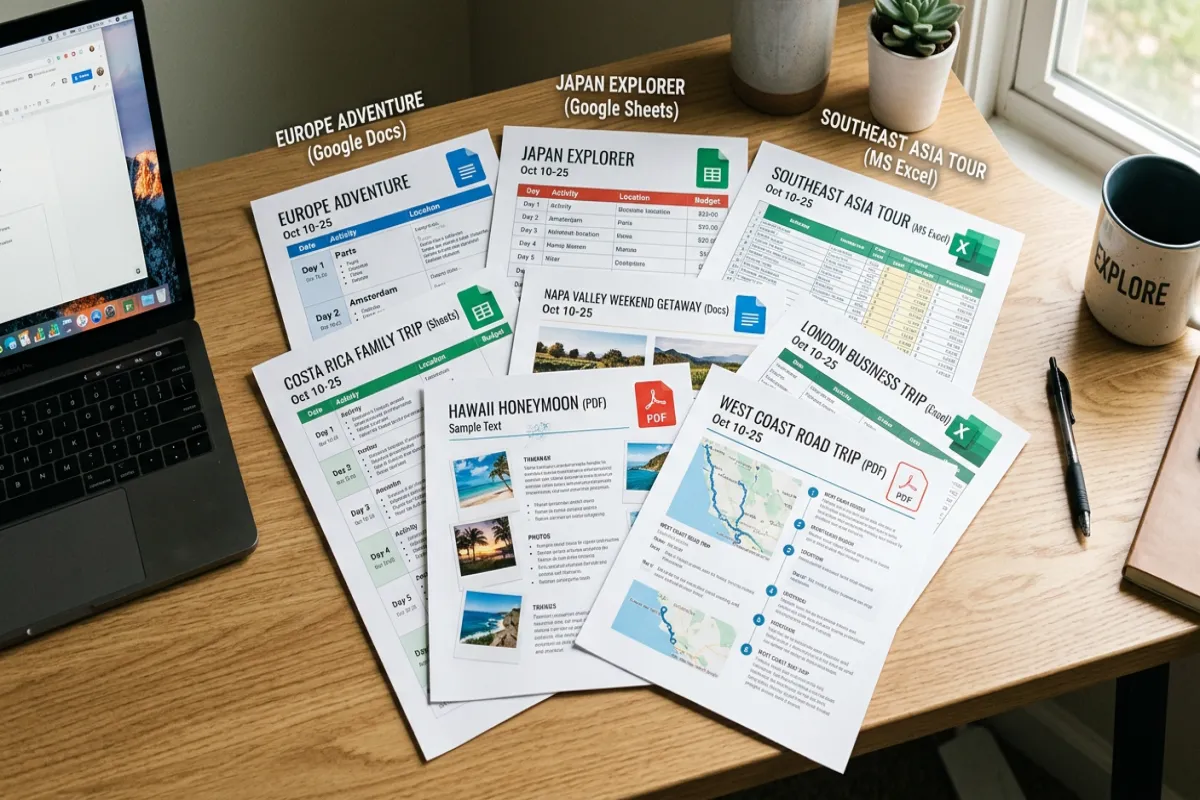
Travel Itinerary (Google Docs) — The most popular format. Day-by-day schedule with sections for flights, hotels, activities, and packing. Best for most trips. Clean document layout that’s easy to print or share.
For more details, see our complete trip planning guide.
Travel Itinerary (Google Sheets) — Same itinerary structure but in spreadsheet format with automatic budget calculations. Best if you’re a numbers person who wants to track spending alongside your schedule.
Travel Itinerary (Excel) — Downloadable Excel version for offline use. Includes formulas for budget tracking. Best if you prefer Microsoft Office or need to work without internet.
Travel Itinerary (Word) — Downloadable Word document you can customize with your own fonts, colors, and formatting. Best if you want a polished, printable document. Or, skip the template and build your itinerary with AI
Trip-Specific Itineraries
Vacation Itinerary — Simplified template for relaxed, single-destination trips. Less structure, more flexibility. Best for beach vacations, resort stays, and trips where the goal is to unwind rather than sightsee.
Road Trip Itinerary — Organized by driving legs instead of days. Tracks mileage, drive times, fuel stops, and overnight accommodations along your route. Best for multi-destination driving trips.
Weekend Itinerary — Compact two-to-three-day template. Stripped-down planning for quick getaways. Best when you don’t need a full travel planner — just a simple Friday-to-Sunday schedule.
Disney Itinerary — Built specifically for Disney parks with Lightning Lane tracking, park reservations, dining reservations, and park-hopping schedules. Best for Disney World or Disneyland trips.
Cruise Itinerary — Covers embarkation, port days, sea days, excursions, and onboard activities. Best for cruise vacations where you need to plan both on-ship and in-port time.
Bachelorette Itinerary — Group trip template with shared budget tracking, activity voting, and responsibilities assignment. Best for bachelorette parties, bachelor trips, and group celebrations.
Family Vacation Itinerary — Kid-friendly scheduling with nap times, meal planning, and activity ratings by age group. Best for family trips with young children.
Business Trip Itinerary — Meeting schedule, expense tracking, client contact info, and receipt logging. Best for work travel where you need to submit expense reports afterward.
Destination Wedding Itinerary — Multi-day event schedule for wedding guests, with ceremony details, welcome events, and local recommendations. Best for weddings that involve travel for guests.
Comprehensive Planning
Travel Planner — The most comprehensive template. Covers research, booking, daily itinerary, budget, packing, and emergency contacts. Best for complex international trips or travelers who want everything in one document.
Trip Planning Spreadsheet — Six-tab Google Sheets workbook covering itinerary, flights, accommodation, budget, packing, and contacts. Best if you prefer spreadsheets for planning and want automatic calculations.
Travel Budget Template — Dedicated budget planning and expense tracking. Best used alongside any itinerary template when budget management is a priority.
Plan Your Trip Today!
Get a complete, personalized trip template in seconds.
Take full control to customize every detail.
Plan My TripHow to Choose the Right Template
If you’re not sure which template to use, ask yourself two questions:
What kind of trip is it? A relaxed beach vacation needs a different level of planning than a 10-day multi-country European tour. For simple trips, use the Vacation Itinerary. For complex trips, use the Travel Planner. For everything in between, the standard Travel Itinerary works.
What format do you prefer? Google Docs for clean documents and easy sharing. Google Sheets for automatic calculations and budget tracking. Excel for offline spreadsheet work. Word for customizable, printable documents. PDF for a pre-formatted printable version.
After You’ve Planned Your Trip
Once your itinerary is filled in and your trip is booked, you’ll have confirmation emails, booking PDFs, insurance documents, and your itinerary itself — scattered across your email, Google Drive, and Downloads folder. The Yopki Travel Document Organizer pulls all those documents into one organized travel packet you can access offline, print, or share with travel companions.
How to Make a Travel Itinerary
Making a travel itinerary comes down to five steps: set your travel dates, book flights and accommodation, research activities for each day, organize everything into a day-by-day schedule, and add practical details like confirmation numbers, addresses, and emergency contacts. You can create an itinerary from scratch in Google Docs, Google Sheets, Word, or Excel — or save time by starting with one of the templates above.
The key is starting early. Book flights and hotels first, then fill in daily activities around those anchors. Add restaurants, backup plans for rainy days, and a packing list. Export the final itinerary as PDF for offline access, and share it with travel companions so everyone has the same information.
FAQ
Are these templates really free?
Yes. Every template on this page is free to use with no signup, no email required, and no usage limits. You make a copy and it’s yours. We make money through our Travel Document Organizer tool, not by gating templates behind email walls.
Can I edit and customize the templates?
Completely. Once you make a copy, it’s your document. Change the colors, add sections, remove sections, adjust the layout — whatever works for your trip. The templates are starting points, not rigid forms.
Do I need a Google account to use these?
For the Google Docs and Google Sheets versions, yes — you need a free Google account to make a copy. For the Excel and Word versions, no Google account is needed. You can also download any template as PDF for a no-account option.
Can I use these for group trips?
Yes. The Google Docs and Sheets versions support real-time collaboration — share the link with your travel group and everyone can add their inputs. For group-specific features like budget splitting and task assignment, try the Bachelorette Itinerary template.