An itinerary planner is where your trip goes from “a list of things I want to do” to “an actual day-by-day schedule that makes geographic and logistical sense.” It’s the step between dreaming about a trip and being ready for one.
This free itinerary planner template helps you take all your bookings, wishlist activities, and restaurant saves, and organize them into a realistic daily schedule. It accounts for travel time between locations, opening hours, reservation windows, and the reality that you can’t do 14 things in one day without losing your mind.
What’s in This Template
Trip Summary
Destination, dates, number of travelers, accommodation base (where you’re staying each night), and a quick notes field. This is your reference card — the info you’ll repeat dozens of times during your trip to taxi drivers, hotel staff, and fellow travelers.
Master Activity List
Before you build a schedule, you need all your options in one place. This section is a brain dump table: activity name, category (sightseeing, food, shopping, culture, nightlife, nature, relaxation), estimated duration, cost, address, opening hours, whether a reservation is needed, and priority level (must-do, want-to, nice-to-have). For a deeper dive, check out our complete trip planning guide
The priority column is key. When you start scheduling and realize you can’t fit everything, the “nice-to-have” items are the first to cut. Better to decide this calmly during planning than in the moment when you’re tired and hungry and trying to figure out if you have time for one more museum.
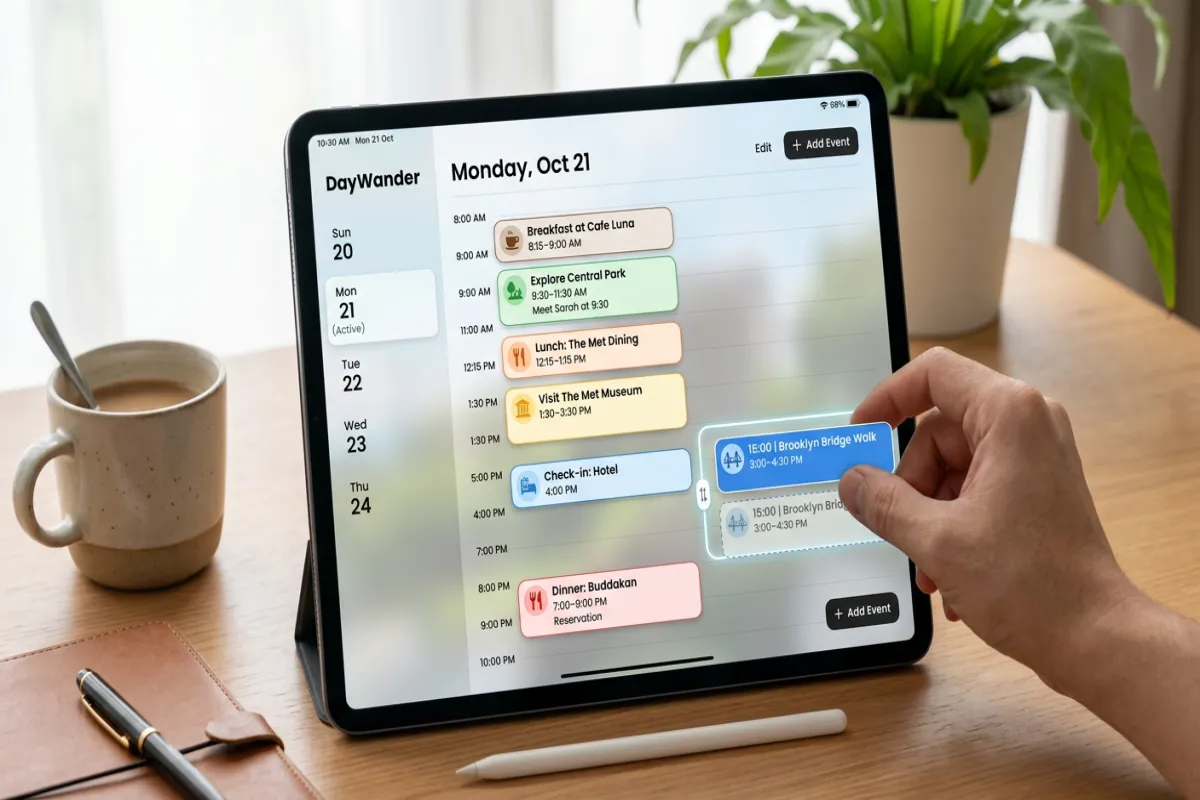
Day-by-Day Schedule
Each day gets a structured layout:
Time blocks. Morning (8am-12pm), afternoon (12pm-5pm), and evening (5pm-late). Within each block, you add specific activities with start times, duration, location, and travel time to the next activity. The template includes buffer time between activities — 30 minutes by default — because getting from point A to point B always takes longer than Google Maps says, especially in unfamiliar cities.
Meal slots. Breakfast, lunch, and dinner built into each day as schedule items, not afterthoughts. Each has fields for restaurant name, reservation time, address, and confirmation number. Marking meals as explicit schedule items prevents the 3pm “we forgot to eat lunch” crash.
Travel logistics. If you’re changing cities or taking day trips, the first block of the day covers the transit: departure time, mode of transport, ticket/confirmation number, arrival time, and what to do with luggage.
Evening plans. Dinner reservations, nightlife, shows, or simply “free evening — explore the neighborhood.” Not every night needs a plan, but reservations need a time slot.
Confirmation Tracker
A single table that lists every booking across your trip: date, item, provider, confirmation number, cancellation deadline, amount paid, and status (confirmed, pending, or needs to be booked). When you’re sitting on a plane and wondering “did I actually confirm that restaurant?” — this table has the answer.
Map Links
Each day includes a field for a custom Google Maps link. The idea: create a Google My Maps list for each day with pins at every location you’re visiting. Paste the link in your itinerary. When you’re navigating the city, open the map for today and all your stops are already pinned in order.
Plan Your Trip Today!
Get a complete, personalized trip template in seconds.
Take full control to customize every detail. Or, skip the template and build your itinerary with AI
Plan My TripHow to Use It
- Start with the Master Activity List. Dump everything you want to do, eat, and see into this table. Don’t worry about scheduling yet — just capture it all. Include opening hours and estimated duration for each item.
- Group activities by neighborhood. Before scheduling, sort your activity list by location or neighborhood. Activities near each other should happen on the same day. This prevents crisscrossing the city and losing hours to transit.
- Fill in the fixed items first. Reservation-based activities (restaurants with bookings, timed-entry museums, guided tours) go into the Day-by-Day Schedule first because they’re immovable. Build the flexible activities around them.
- Add travel time between activities. This is the step most people skip and then regret. If your afternoon museum closes at 5pm and your dinner reservation is at 7pm across town, you have time. If it’s at 5:30pm, you’re sprinting. The template’s buffer time fields make this visible.
- Cut ruthlessly. If your Master Activity List has 40 items and your trip is 5 days, you can realistically do 4-6 things per day (including meals). That’s 20-30 items max. Use the priority column to decide what stays and what becomes a “next trip” list.
- Share and print. Share the Google Doc with your travel group, then export as PDF for offline access. Use the Yopki Travel Document Organizer to merge your itinerary with booking confirmations into one printable document.
Planning Principles
Geography over preference. Don’t schedule your top-3 must-do activities on the same day if they’re in three different neighborhoods. Group by location first, then optimize within each day for what you most want to see. You’ll see more and stress less.
Leave one day unplanned. Even on a 5-day trip, keep at least one half-day completely open. You’ll discover a neighborhood you want to explore more, get a recommendation from a local, or simply need to recover from a packed day. The best travel memories often come from unscheduled time.
Front-load the must-dos. Put your highest-priority activities in the first half of your trip. If weather, illness, or a spontaneous change of plans disrupts your later days, you’ve already done the things you came for.
Account for jet lag on Day 1. If you’re crossing time zones, your first day should be light. A neighborhood walk, a good meal, and an early night. Don’t schedule the 3-hour walking tour or the 8pm dinner reservation for the day you land.
Related Templates
- Travel Itinerary Template (Google Docs) — similar day-by-day layout with more sections for flights, hotels, and emergency info
- Travel Itinerary Template (Google Sheets) — spreadsheet version with budget tracking and sortable columns
- Travel Planner Template — covers the full planning lifecycle from research through packing
- Vacation Itinerary Template — simplified version for relaxed, single-destination trips
FAQ
What’s the difference between an itinerary and an itinerary planner?
An itinerary is the finished schedule — what you’re doing each day. An itinerary planner includes the planning tools that help you build that schedule: the master activity list, geographic grouping, priority ranking, and time budgeting. This template is the planner; the output is your itinerary.
How detailed should my itinerary be?
Detailed enough that you know where you need to be and when, but loose enough that you can pivot. Fixed reservations need exact times. Everything else just needs a general time block (morning, afternoon, evening). Over-planning leads to stress when things inevitably shift.
Can I use this for a road trip?
Yes. The structure works for any multi-day trip. For road trips, the travel logistics section of each day becomes your driving plan: departure time, route, estimated drive time, planned stops, and arrival at your next destination. The Master Activity List becomes your list of stops and attractions along the route.