
Sometimes you need your trip plan on paper. Maybe you don’t trust your phone battery to last a full day of sightseeing. Maybe you want to hand a printed schedule to your parents, your travel companion, or your hotel concierge. Maybe you just think better with a pen in your hand.
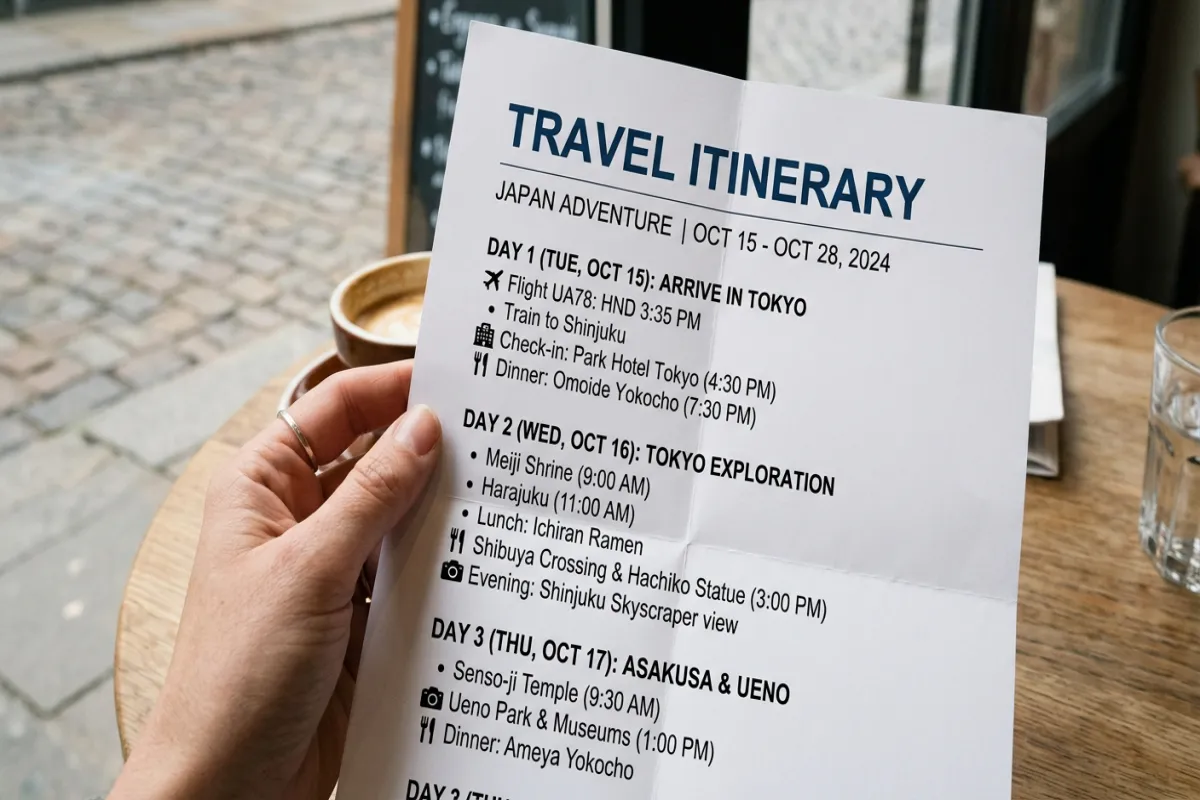
This free printable itinerary template is designed for printing first. Clean lines, readable fonts, enough white space to write in, and a layout that fits standard letter paper without awkward page breaks. You can fill it in on your computer before printing or print it blank and fill it in by hand — either way, you get a trip schedule that works without Wi-Fi, without batteries, and without logging into anything.
What’s in This Template
Trip Overview Page
One page with everything someone would need to know about your trip at a glance: destination, travel dates, travelers’ names, accommodation name and address, emergency contact number, travel insurance policy number, and your flight confirmation codes. Print this page and leave a copy with family at home, keep one in your carry-on, and tape one inside your luggage. If your bags get lost, this page helps the airline return them.
Day-by-Day Schedule
Each day gets its own page (or half-page for shorter days). A date header at the top, then time blocks from morning through evening. Each block has space for the activity, location, address, reservation or ticket info, and cost. The time blocks are pre-labeled (Morning, Midday, Afternoon, Evening) with blank lines for writing in specific times. Wide margins on the right side for handwritten notes — restaurant recommendations you pick up during the day, schedule changes, or reminders.
Flight and Transportation Details
A formatted table for every travel leg: airline, flight number, departure city, departure time, arrival city, arrival time, terminal, gate, seat, confirmation number, and baggage allowance. Additional rows for trains, buses, car rentals, airport shuttles, and ferry crossings. This page prints as a single reference sheet you can pull out at the airport without scrolling through your email for confirmation codes.
Hotel and Accommodation Details
Table with every place you’re staying: property name, address, phone number, check-in and check-out times, confirmation number, nightly rate, and notes (parking instructions, Wi-Fi password, key pickup location). For multi-stop trips, each property gets its own row. Print this page and keep it in your day bag — when the taxi driver asks “where are you staying?” you have the address ready.
Packing Checklist
Categorized list with checkboxes you can check off with a pen: travel documents, electronics, clothing, toiletries, medications, and trip-specific gear. The checkbox formatting is sized for actual pen marks, not tiny digital checkboxes. Hang this list on your closet door while packing and check items off as they go into the suitcase.
Important Contacts
Emergency numbers, embassy or consulate info for international trips, airline customer service, hotel front desk, travel insurance claims number, and personal emergency contacts. This is the page you hope you never need — but when you need it, you need it immediately, not buried in an email thread.
Notes Pages
Two blank lined pages at the end for trip notes, journal entries, expense tracking, or anything else you want to write down. Some travelers use these for a daily spending log. Others use them for restaurant recommendations from locals. The pages are lined with the same spacing as the rest of the template so the packet looks cohesive.
Plan Your Trip Today!
Get a complete, personalized trip template in seconds.
Take full control to customize every detail. Or, skip the template and build your itinerary with AI
Plan My TripHow to Use It
- Choose your fill-in method. Option A: open the template on your computer, type in your trip details, then print. Option B: print the template blank and fill it in by hand. Option A gives you a cleaner result. Option B works when you’re still planning and want to sketch things out with a pencil before committing.
- Print on good paper. Use 24 lb or 28 lb paper if you have it — heavier paper holds up better in a bag and feels more substantial. Standard 20 lb printer paper works fine but can tear at fold lines after a few days of handling.
- Print double-sided. The template is designed for double-sided printing. This keeps your travel packet compact — a 7-day trip fits in about 8-10 pages double-sided, small enough for a back pocket or day bag.
- Staple or clip the packet. A single staple in the top-left corner or a small binder clip keeps pages together. For longer trips, use a small folder or slip the pages into a clear sleeve.
- Make extra copies. Print two copies of the Trip Overview and Contact pages. Keep one in your carry-on and one in your checked bag. Leave a third copy with someone at home. If you’re traveling with a companion, they should have their own copy of the full itinerary.
Printing Tips
Use Print Preview before printing. Check that tables don’t split awkwardly across pages. If a day’s schedule breaks in the middle, add a page break before that day’s header so it starts on a fresh page.
Consider laminating key pages. The Trip Overview and Contacts page benefit from lamination if you’ll be near water, in humid climates, or carrying the pages loose in a bag. A self-laminating pouch from any office supply store costs less than a dollar per sheet. For a deeper dive, check out our complete trip planning guide
Print in black and white. The template is designed to look clean in grayscale. Color printing is unnecessary and uses more ink. If you want visual distinction between sections, use a highlighter after printing — it’s faster and cheaper than color ink.
When to Use a Printable Itinerary
A printed itinerary makes the most sense in specific situations. When you’re traveling to areas with unreliable internet, a printed schedule doesn’t need Wi-Fi. When you’re traveling with older family members who prefer paper, a printed itinerary respects their comfort. When you’re coordinating with a tour guide, driver, or hotel concierge, handing them a printed page is faster than dictating from your phone. And when your phone dies at 2 PM on a full day of sightseeing, your printed itinerary keeps working.
For trips where you want digital planning tools alongside your printed schedule, start with one of our digital templates — Google Docs, Google Sheets, or Excel — plan your trip there, then transfer the final version into this printable format. Use the Yopki Travel Document Organizer to merge your printed itinerary with booking confirmation printouts into one organized travel packet.
Related Templates
- This Printable Itinerary — clean, print-optimized layout for paper-first travelers. Best when you want a physical copy of your trip plan.
- Word Itinerary Template — fully formatted .docx with more customization options. Best when you want to design a polished document before printing.
- Free Itinerary Template — browse all formats and trip types to find the right fit.
- Travel Planner — comprehensive planning document covering research through packing. Best for the full planning lifecycle before you print your final schedule.
FAQ
What is the best printable travel itinerary template?
The best printable itinerary has a clean layout sized for standard letter paper, readable fonts (12pt minimum for body text), enough white space for handwritten notes, and sections for flights, hotels, daily schedule, contacts, and packing list. It should print cleanly in black and white and fit a week-long trip in under 10 double-sided pages. This template includes all of those elements with a design optimized for printing rather than screen viewing.
How do I make a printable travel itinerary?
Start with a template that’s designed for printing — not a web page or app screen saved as PDF. Fill in your trip details section by section: trip overview first, then flights and hotels, then your day-by-day schedule. Use Print Preview to check page breaks. Print double-sided on heavier paper (24-28 lb) for durability. Make extra copies of the overview and contacts pages.
Should I print my itinerary or keep it digital?
Both. Use a digital template for planning — it’s easier to edit, share, and reorganize. Once your plan is final, print a copy as backup. Digital fails when your phone battery dies, when you’re in areas without service, or when you need to hand your schedule to someone who isn’t in your group chat. A printed itinerary is your offline insurance policy.
What paper size should I use?
This template is formatted for US Letter (8.5″ x 11″). It also prints well on A4 paper with minor margin adjustments. For a more portable option, print at 75% scale on letter paper — it’s still readable and fits in a jacket pocket when folded.