
A travel itinerary tells you what you’re doing each day. A travel planner covers everything else: the research phase, the booking phase, the packing phase, and the “did I remember to hold my mail?” phase.
This free travel planner template is the full picture — from the moment you decide to take a trip to the moment you walk out the door. It’s more comprehensive than a simple itinerary because trip planning involves way more than just scheduling activities.
What’s in This Template
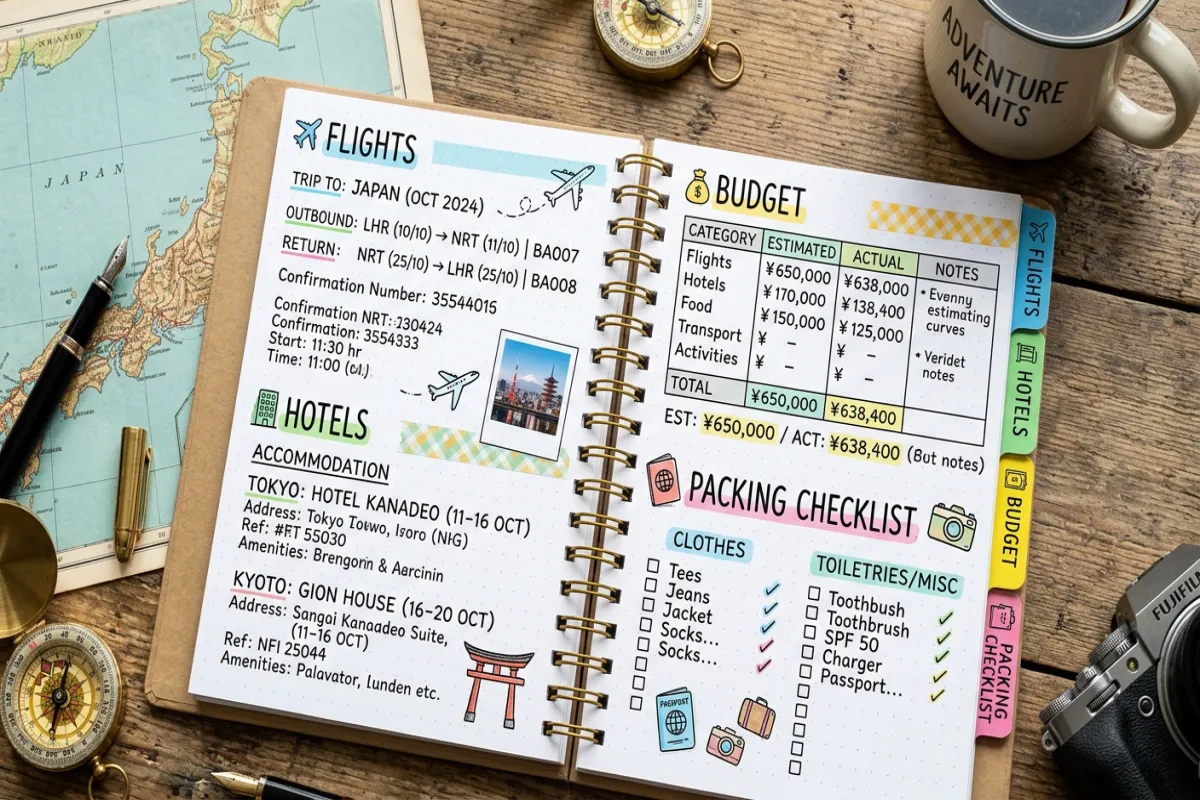
1. Trip Planning Dashboard
Your mission control. Destination, dates, trip duration, travel companions, total budget, and a countdown to departure. Below that, a pre-trip task checklist: passport validity check, visa application, travel insurance, vaccinations, bank notification, pet/house sitter, mail hold, and auto-pay setup. Each task has a checkbox, a deadline column, and a status field.
2. Research & Booking Tracker
Before you book anything, you’re comparing options. This section has a table for tracking your research: item (flights, hotels, car rental, tours), option A vs. option B vs. option C, price of each, pros and cons, and a “booked?” column. It’s the comparison spreadsheet you were going to make anyway — just already structured for you.
3. Flight & Transportation
Every leg of travel in one table: airline, flight number, route, times, terminal, gate, seat, confirmation code, baggage allowance, and cost. Covers flights, trains, buses, ferries, airport transfers, and rental cars.
4. Accommodation
Hotel or Airbnb details: property name, address, check-in/check-out, confirmation number, cancellation policy deadline, nightly rate, total cost, Wi-Fi password, and notes (parking, late checkout, nearest grocery).
5. Day-by-Day Itinerary
Your actual trip schedule. Each day broken into time blocks with activity, location, address, confirmation number, cost, and notes. Flexible enough for a packed sightseeing day or a lazy beach day with just “morning: pool, afternoon: nap, evening: sunset dinner.”
6. Budget Planner
Set your total budget, then allocate amounts across categories: flights, accommodation, food, activities, transportation, shopping, and emergency fund. As you book and spend, log actual amounts next to your estimates. Running totals show where you’re over or under budget.
7. Packing List
Organized by category: documents and money, electronics and chargers, clothing, toiletries, health and medicine, and trip-specific gear. Checkboxes for packing status. A “packed bag weight” field at the bottom if you’re watching airline baggage limits.
8. Important Contacts & Documents
Emergency contacts, embassy or consulate info, travel insurance policy number and claims phone, airline customer service numbers, hotel phone numbers, and a note about where your digital copies of passport/ID are stored (Google Drive link, email to yourself, etc.).
Plan Your Trip Today!
Get a complete, personalized trip template in seconds.
Take full control to customize every detail.
Plan My TripHow to Use It
- Start early. Open this template as soon as you decide to take a trip — even before booking anything. The Research & Booking Tracker section is designed for the comparison-shopping phase.
- Work through it in order. The sections are sequenced to match how trip planning actually happens: research → book → plan daily activities → budget → pack → go.
- Share it. If you’re traveling with others, share the doc so everyone can contribute. One person handles flights, another researches restaurants, another manages the budget. The planner becomes your group’s single source of truth.
- Use the pre-trip checklist religiously. The most stressful travel problems aren’t itinerary problems — they’re “my passport expired last month” problems. The checklist catches these weeks before departure.
- Export before you leave. Download as PDF for offline access. Use the Yopki Travel Document Organizer to merge your planner PDF with all your booking confirmations into one printable travel packet.
How This Differs From Our Other Templates
We offer several travel templates, each designed for a different level of planning:
- This Travel Planner — the most comprehensive. Covers everything from initial research through packing. Best for international trips, complex multi-leg journeys, and planners who want everything in one document.
- Travel Itinerary (Google Docs) — focuses on the day-by-day schedule with supporting sections for flights and hotels. Best for travelers who’ve already booked everything and just need to organize their daily plans.
- Travel Itinerary (Google Sheets) — same content as the Docs version but in spreadsheet format with automatic budget calculations. Best for number-oriented planners.
- Vacation Itinerary — simplified version for relaxed, single-destination trips. Best for beach vacations, resort stays, and weekend getaways.
- Trip Planning Spreadsheet — six-tab spreadsheet version of the travel planner. Best if you prefer spreadsheets over documents.
Planning Tips
Set booking deadline reminders. Many hotels and tours have free cancellation windows. Note these deadlines in the Accommodation and Research sections so you don’t accidentally pay for something you decided against. For a deeper dive, check out our complete trip planning guide
Over-budget your food estimate by 30%. Everyone underestimates how much they’ll spend on food while traveling. You eat out more, you try local specialties, you grab more coffees. A 30% buffer keeps your overall budget realistic.
Photo your documents before you leave. Take photos of your passport, driver’s license, travel insurance card, and credit cards (front and back). Store them in a private Google Drive folder and note the link in the Important Contacts & Documents section. If you lose your wallet abroad, you’ll have all your card numbers for cancellation calls.
Check passport expiration now. Many countries require six months of passport validity beyond your travel dates. If your passport expires within 9 months of your trip, start the renewal process immediately — it can take 6-8 weeks.
FAQ
Is this available as an app?
This template works in Google Docs or Google Sheets, which have apps for iOS and Android. So while it’s not a standalone travel planning app, it functions like one on your phone — with the added benefit of working across all your devices and supporting real-time collaboration.
Can I reuse this for future trips?
Yes. When you’re ready to plan another trip, go back to the original template link and make a fresh copy. Or duplicate your previous trip’s planner (File → Make a copy) and clear out the old details — useful if you want to keep the same packing list or contact info structure. Or, skip the template and build your itinerary with AI
How is this different from TripIt or Google Trips?
TripIt and similar apps auto-organize forwarded confirmation emails, which is convenient. But they give you their structure, not yours. This template gives you full control over what’s included, how it’s organized, and what level of detail you want. It’s also free with no premium upsell, works offline, and your data stays in your Google Drive rather than a third-party service.