Top Online Trip Planning Tools to Simplify Your Journey

Streamline your journey with top online trip planning tools. These road trip planners simplify your travel experience and help you maximize your adventures!
Group of travelers collaborating on trip planning tools with devices and maps

Best Trip Planning Tools: How to Choose and Use Travel Itinerary Planners, Online Itinerary Builders, and AI Trip Planners for Your Next Vacation

Trip planning tools are software applications and mobile apps that centralize discovery, itinerary creation, bookings, and collaboration to save time and reduce friction when organizing your next vacation. These tools work by aggregating travel data—flights, accommodation, activities, and maps—then applying scheduling, mapping, and collaboration layers to produce shareable itineraries that adapt as plans change. Readers will learn how itinerary builders and AI trip planners differ, which apps suit solo, group, and road-trip use cases, and how budgeting and packing tools reduce stress before departure. The article explains core features, highlights road-trip and group planning workflows, compares representative apps and tools, and provides a decision checklist to match tool capabilities to travel style. Throughout, practical lists and comparison tables show the trade-offs between free and paid options, and privacy and integration considerations are emphasized so you can select reliable tools for trips in 2025 and beyond, making them some of the best travel planning sites and apps available.

What Are Trip Planning Tools and How Do They Simplify Travel Itineraries?

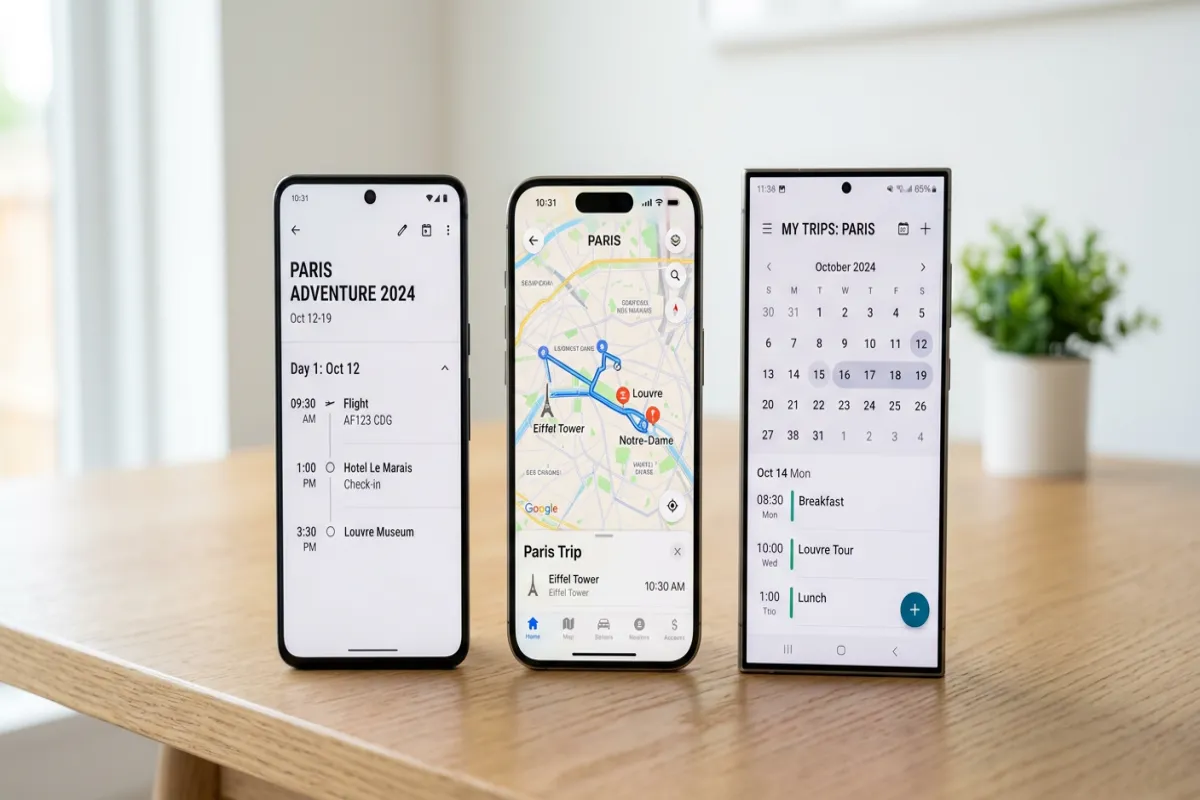
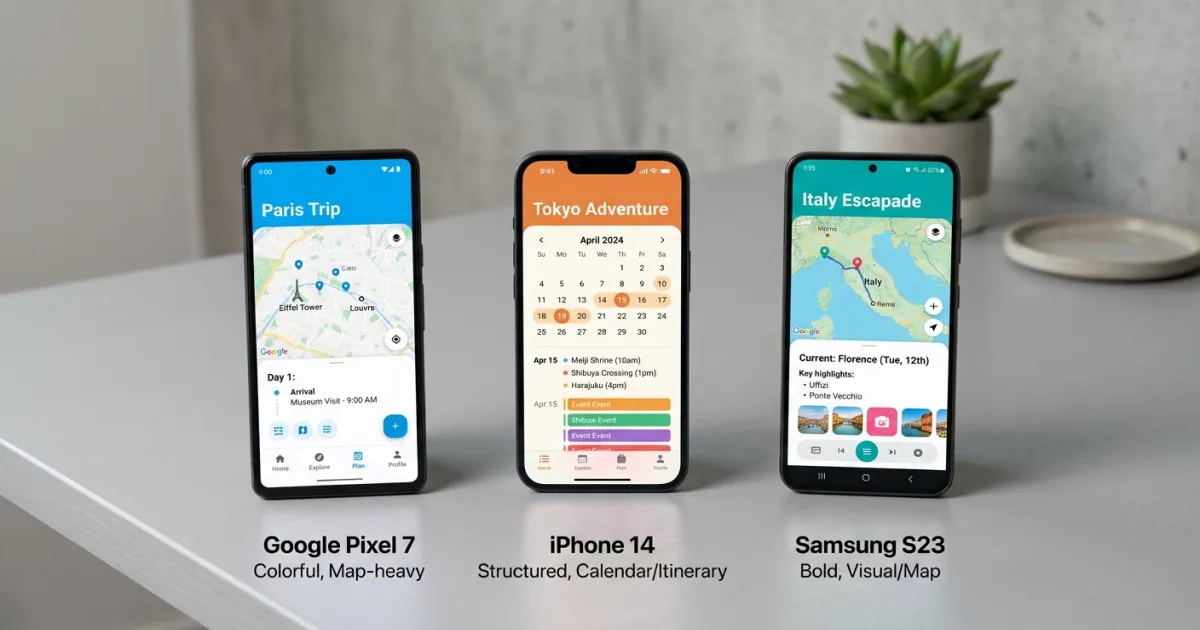
Trip planning tools are software applications and online route planners that combine itinerary builders, booking importers, and map integration to streamline travel organization, reducing manual spreadsheet work and scattered confirmations. They simplify planning by automating itinerary assembly from bookings, visualizing multi-day schedules on maps, and enabling collaboration so groups can share responsibilities and updates in real time. Core benefits include centralized itinerary views, time savings through automation, better route planning, and reduced duplication of bookings, which frees travelers to focus on choices rather than logistics. Understanding these baseline functions clarifies how specialized tool categories—AI assistants, road-trip planners, budgeting apps, and packing helpers—fit into a modern travel workflow and prepares you to evaluate options against your trip complexity, making them the best trip planning apps for any journey.

What Features Define a Travel Itinerary Planner?

A travel itinerary planner, often available as an online travel itinerary builder or mobile app, combines date-and-time scheduling, booking import, and map-based visualization to create a coherent day-by-day plan that travelers can follow and share. Typical features include itinerary builder pages for each travel day, automatic import of flight and hotel confirmations, integrated maps showing points of interest (POIs) and multi-stop routing, and sharing or export options for group access. These planners often include calendar sync, note fields for confirmations, and basic expense notes so users keep reservations and logistics in one place. Knowing these features helps you prioritize which capabilities matter most for your trip type—solo international travel favors booking import and calendar sync, while group trips require shared editing and permission controls, especially when looking for a free itinerary builder or an itinerary online planner.

How Does AI Enhance Modern Trip Planning Tools?

Futuristic AI interface for travel planning with personalized itinerary suggestions

AI enhances trip planning tools by accelerating itinerary generation, surfacing personalized recommendations based on preferences, and performing constrained optimization such as balancing travel time against activity density. Machine learning models can infer traveler preferences and suggest activities, reorder multi-stop days to reduce transit time, and draft editable itineraries that users can refine rather than build from scratch. Limitations include data requirements for personalization, occasional opaque recommendation logic, and the need to verify bookings and timing manually; AI speeds planning but does not replace human oversight. Understanding AI’s role clarifies when to rely on automated drafts and when to apply manual edits for accessibility, budget, and timing constraints, providing valuable information for your journey.

Which Are the Best Travel Apps for Itinerary and Group Travel Planning?

Best travel apps, often available as mobile apps or through best travel planning sites, fall into categories: traditional itinerary builders for travelers who want direct control, AI-first planners for rapid draft itineraries, and group-focused platforms that emphasize collaboration and expense splitting. The ideal app depends on whether you prioritize automation, collaborative editing, or mapping detail, and many travelers combine apps to cover gaps—an AI planner to generate a first draft and a group app to manage costs and assignments. Intro to comparison table: this table highlights representative tools by primary capability and the traveler profile they serve best, helping you find the best trip planning app for your needs.

ToolCore FeatureBest for
TripItCentralized booking import and master itinerarySolo travelers who want consolidated confirmations and a reliable trip itinerary planner.
WanderlogVisual itinerary builder with collaborative editingGroups coordinating plans and shared schedules, seeking an online itinerary builder.
RoadtrippersMap-first route discovery and POI planning, a top roadtrip planner.Road-trip planners seeking scenic routes and stops, often considered the best route planner for driving.
WazeReal-time traffic, navigation, and community-based alerts.Drivers needing live traffic updates and the best route with multiple stops, available as a mobile app on iOS and Google Play.
GasBuddyFinds cheapest gas prices nearby.Road travelers looking to save on fuel costs, a useful mobile app for any road trip.
TripAdvisorReviews, bookings for hotels, restaurants, and attractions.Travelers seeking comprehensive information and reviews for their vacation planning.

This table summarizes how different apps emphasize confirmation import, collaborative editing, or route discovery, and it shows which traveler profiles benefit most from each approach. Whether you need a dedicated road trip planning app or a general travel route planner, these tools offer diverse capabilities. The next paragraphs explain AI-first planners and group-focused apps so you can match a tool to your workflow.

What Are the Top AI Trip Planners and Their Unique Benefits?

AI trip planners prioritize speed and personalization by generating draft itineraries from a few inputs—dates, destinations, and traveler preferences—and then allowing users to refine those drafts. The primary benefit is time savings: AI can produce a day-by-day plan with suggested activities, estimated transit times, and packing prompts within minutes rather than hours, acting as a powerful online itinerary builder. Typical trade-offs include lower visibility into how recommendations were generated and the need to check booking details and timing manually, so AI output is best treated as a starting point rather than a final itinerary. When using AI planners, combine automated drafts with manual booking verification and local logistics checks to ensure timing and availability line up with real-world constraints, making them a valuable free itinerary builder for initial planning.

Which Group Travel Planning Apps Facilitate Collaboration and Budgeting?

Group travel apps, often available as a mobile app, are designed to keep shared itineraries, expense tracking, and task assignment in one place so organizers can coordinate logistics without endless message threads. Essential features include shared editing permissions, expense logs that support split payments or reconciliation, task lists with assignees, and comment threads tied to itinerary entries. For group leaders, a short checklist supports smooth coordination: create a master itinerary, assign booking responsibilities, enable shared expense logging, and set communication norms for updates. These group workflows reduce friction and prevent duplicated reservations, enabling smoother execution and fewer conflicts during travel, making them an essential trip planning app for groups.

How Do Road Trip Planning Tools Optimize Routes and Destinations?

Car on a scenic road trip with a map and GPS device visible

Road trip planning tools, often available as a dedicated road trip planning app or online route planner, optimize routes by reordering stops to reduce drive time or align with preferred scenic corridors, estimating fuel or cost impacts, and integrating timing windows for activities and reservations. At their core, these tools solve multi-stop sequencing problems and surface alternative routes that balance speed, scenery, and cost, making it easier to design feasible day plans that include realistic driving durations. For those seeking the best route planner or a multi stop route planner free option, these tools are invaluable. Integration with mapping APIs and offline map components ensures plans remain usable when cellular coverage is limited, while POI suggestion engines help identify on-route attractions that match traveler interests. Understanding these routing features prepares travelers to pick tools that balance the competing priorities of time efficiency, scenic value, and cost control, ensuring the best route with multiple stops for any trip planner driving a long distance.

Intro to route feature comparison: this table compares common routing features, what they optimize, and the direct benefit for road travelers.

Route FeatureWhat it OptimizesUser Benefit
Multi-stop optimizationTotal drive time and sequence efficiency for your road trip.Shorter drives and smoother daily schedules, making it the best multi stop route planner.
Scenic-route preferenceRoute aesthetics vs fastest route, ideal for a memorable roadtrip planner.More engaging, memorable driving experiences on the open road.
Fuel/cost estimationFuel stops and expense forecasting, often integrated with tools like GasBuddy.Budget-aware planning and fewer surprises, even for a driving route planner free option.

This comparison demonstrates how route optimization features translate to practical benefits on the road, helping travelers choose between fastest, cheapest, or most scenic routes depending on trip goals. These route planners are essential for any travel route planner. The following subsections outline the specific features to look for and how bookings integrate with routing.

What Features Should You Look for in Road Trip Planner Apps?

When choosing a road trip planner, often available as a mobile app or online route planner, prioritize multi-stop route optimization, waypoint reordering, realistic drive-time estimates, and offline navigation to support remote stretches without cell coverage. For those seeking the best route planner or a driving route planner free option, these features are crucial. Additional valuable features include fuel or cost estimators that account for vehicle type, and POI suggestion engines that reveal interesting stops along the route rather than only destinations. Turn-by-turn directions, exportable routes for navigation devices, and map overlays for elevation or scenic scores are practical aids that reduce uncertainty and support daily planning for any trip planner driving. Assessing these features against your vehicle type, trip length, and desired flexibility ensures you pick the road trip planning app that minimizes driving stress while maximizing enjoyment, providing the best route with multiple stops.

How Do Road Trip Tools Integrate Accommodation and Activity Bookings?

Road trip tools typically integrate bookings by either offering in-app reservation options through partners or deep-linking to third-party booking platforms while synchronizing confirmations into the master itinerary. A common workflow is: add destination → search for accommodations that fit driving windows → book via partner or OTA link → add activities and sync confirmation details into the day plan. This helps create a comprehensive trip itinerary planner. When integrations are limited, exporting itinerary items to a calendar or a central online itinerary builder preserves context and prevents double-booking across tools for your road trip.

What Are the Best Free and Paid Travel Budgeting and Packing Tools?

Budgeting and packing tools, often available as a mobile app, occupy different but complementary parts of pre-trip preparation: budgeting apps forecast and track expenses while packing apps create reusable lists that adapt to weather and trip constraints for your vacation. Free tools often provide basic templates and manual logging, while paid or freemium options include real-time expense sync, multi-currency conversion, weather-aware packing suggestions, and shared lists for family travel. Deciding between free and paid solutions depends on trip complexity, the need for live expense tracking, and whether shared packing lists and airline constraint checks are required, making them a crucial part of any trip planning app.

Intro to budgeting/packing comparison table: this table shows representative budgeting and packing tools, the pricing/feature model, and best use case for each tool.

ToolPricing / Key FeatureBest Use Case
PackPointFreemium; smart packing templates and weather-aware lists, available as a mobile app on iOS and Google Play.Solo and family travelers who want adaptive packing lists for any vacation.
TripIt (budget features)Free basic; premium for advanced syncing and alerts, a popular trip planning app.Travelers who want automated confirmation aggregation and a reliable free itinerary builder.
Rome2rioFree access to multi-modal routing; planning integration, a useful online itinerary builder.Multimodal trip planners needing intercity transport options and comprehensive information.

This table clarifies that free tiers accommodate basic needs while paid or premium tiers often add automation, syncing, and advanced alerts that save time for more complex trips. The next subsections explain how budgeting apps help control spending and how packing tools streamline preparation.

How Do Travel Budgeting Apps Help Track Expenses and Save Money?

Travel budgeting apps, often available as a mobile app, help by letting travelers set a per-trip budget, categorize expected expenses, and log real expenditures to compare plan versus reality, which reveals overspend areas. Features that materially reduce cost include alerts for category overspending, currency conversion tools for international trips, and reports that highlight unexpected fees such as baggage or tourist taxes, providing valuable information. A practical mini workflow is:

  • Define the trip budget.
  • Create categories (transport, lodging, food, activities).
  • Log expenses daily and review the report to adjust later spending, which prevents unpleasant surprises.

For group travel, shared expense logs and split-settlement workflows simplify reimbursement and ensure transparent accounting among participants, acting as a useful checklist for financial planning.

Which Smart Packing List Apps Simplify Travel Preparation?

Smart packing apps, often a feature within a comprehensive trip planning app or a standalone mobile app, reduce last-minute scrambling by providing templates, weather-aware suggestions, and shared lists that let group members coordinate who packs what for a vacation. Core features to value include reusable templates keyed to trip type, the ability to add airline baggage limits and weight considerations, and synchronized shared lists so family members can tick off items collaboratively. A typical workflow for families: choose a family template, customize per-person items, integrate weather data for clothing choices and assign packing tasks to adults or older children. These capabilities shorten prep time, reduce forgotten items, and help travelers avoid baggage-fee surprises by aligning packing with airline rules.

How to Choose the Right Trip Planning Tool for Your Travel Style and Needs?

Choosing the right trip planning app begins with mapping your trip complexity—number of stops, transportation modes, and group size—to the feature clusters you need, such as booking import, offline maps, expense sharing, or AI itinerary drafts. Decision factors include platform availability (mobile app vs desktop, iOS vs Google Play), offline access for remote travel, collaboration features for group trips, and whether you prefer in-app booking or external booking workflows. Balancing these factors produces a practical shortlist: a lightweight trip itinerary planner for short solo trips, a group-focused app for shared itineraries, and a road-trip specialist, like a roadtrip planner or best route planner, when many driving legs require optimization, especially for finding the best route with multiple stops or a multi stop route planner free option. An online itinerary builder or itinerary online planner can also be a great starting point.

  • Match tool capabilities to trip complexity and the number of stops.
  • Verify platform support and offline access for remote or international travel.
  • Prioritize collaboration and expense features for group trips.
  • Decide whether in-app booking integration or deep-linking fits your booking habits.
  • Assess the quality of AI drafts if you plan to use automated itinerary generation.

This checklist helps narrow choices quickly by matching feature needs to real trip constraints, and the next subsection explains how to evaluate privacy and security when selecting apps.

What Factors Should Influence Your Choice of Trip Planning Software?

Key factors are trip complexity, collaboration needs, required integrations, and the traveler’s comfort with technology; these influence whether you choose a streamlined trip planning app or a multifunctional platform. For complex, multi-city international trips prioritize booking import, calendar sync, and multi-currency support; for road trips, emphasize multi-stop optimization and offline navigation, making a dedicated best route planner or multi stop route planner free option essential. Platform support—iOS, Google Play, web via the internet—matters when group members have mixed devices, and offline map availability is essential for remote routes to avoid becoming stranded without directions. Use this information to create a two- or three-app workflow that combines strengths rather than forcing one tool to do everything, ensuring you find the best route with multiple stops.

How Can You Evaluate Privacy and Data Security in Travel Apps?

Evaluating privacy requires checking permissions requested by the mobile app, reading the privacy policy for data retention and third-party sharing practices, and understanding account requirements such as personal profiles or social logins. Practical checks include limiting permissions to what the app needs, using separate email aliases for travel accounts, enabling two-factor authentication when available, and avoiding unnecessary payment or identity data storage in lesser-known apps. Red flags include indefinite data retention, broad third-party sharing clauses, and mandatory social media logins for basic features; these suggest the app may monetize your data in ways that conflict with privacy expectations. Implementing good account hygiene reduces exposure while preserving the convenience of integrated itinerary features, providing crucial information for secure travel.

What Are the Emerging Trends and Future Features in Trip Planning Tools?

Emerging trends in trip planning tools and the future trip planning app in 2025 center on deeper AI personalization, sustainability features such as carbon-impact estimation, immersive previews via AR/VR, and stronger predictive re-planning that responds to delays or weather changes. AI and machine learning will increasingly infer preferences across trips to recommend itineraries that reflect subtle behavioral patterns, while sustainability features will help travelers weigh emissions and choose lower-impact routes or accommodations. Immersive technologies promise AR-assisted navigation and VR-based property or route previews that reduce uncertainty before booking, and predictive capabilities will proactively suggest replans when disruptions appear likely. These advances will reshape how travelers interact with planning tools by blending forecasting, environmental awareness, and experiential previews into unified workflows, offering a wealth of information.

How Will AI and Machine Learning Shape Next-Gen Travel Planning?

AI and ML will enable intent inference—where tools predict desired experiences from sparse inputs—dynamic re-planning in response to live disruptions, and deeper personalization by learning preferences across trips to make better future suggestions. This will require richer data inputs such as past itineraries, explicit likes/dislikes, and behavioral signals, which raises transparency and privacy questions that users should weigh. Practical applications include auto-adjusting itineraries when delays occur, predicting busy times at attractions, and recommending alternatives that preserve the original trip intent, providing valuable information for travelers.

What Role Do Sustainability and Immersive Technologies Play in Future Tools?

Sustainability features such as carbon calculators and eco-routing will allow travelers to choose lower-impact options and visualize environmental trade-offs when selecting routes or accommodations, turning abstract concerns into actionable choices. Immersive technologies—AR previews for on-site navigation and VR walkthroughs of accommodations—will reduce uncertainty and help travelers assess accessibility or layout before arrival, improving decision confidence. Gamification elements may encourage sustainable choices by rewarding lower-impact itineraries, and these features will matter most for eco-minded travelers and those planning with detailed accessibility needs. As these elements mature, they will become differentiators for tools that want to attract conscientious travelers and those planning with detailed accessibility needs, offering comprehensive information for responsible travel.

Frequently Asked Questions

1. What are the key benefits of using travel itinerary planners?

Travel itinerary planners offer numerous benefits, including time savings, organization, and enhanced collaboration. They centralize all travel information, such as bookings and schedules, into one accessible location, reducing the need for manual tracking. These tools also allow for real-time updates and sharing among group members, making it easier to coordinate plans. Additionally, many planners provide automated itinerary generation, which can help streamline the planning process and ensure that travelers can focus more on enjoying their trip rather than managing logistics.

2. How do I choose the right travel planning tool for a family trip?

When selecting a travel planning tool for a family trip, consider features that facilitate collaboration and shared responsibilities. Look for apps that allow multiple users to edit itineraries, track expenses, and assign tasks. Additionally, prioritize tools that offer packing lists and budgeting features to help manage family needs. Assess the app’s compatibility with various devices, ensuring that all family members can access it easily. Finally, consider user reviews and ratings to find a tool that has proven effective for family travel planning.

3. Can travel planning tools help with last-minute trips?

Yes, travel planning tools can be incredibly helpful for last-minute trips. Many apps offer features like instant booking options, real-time availability checks, and quick itinerary generation based on user preferences. They can also provide suggestions for nearby accommodations, activities, and dining options, making it easier to make spontaneous decisions. Additionally, some tools allow users to import existing bookings, helping to create a cohesive itinerary even when time is limited. This flexibility can significantly reduce stress when planning a trip on short notice.

4. What should I consider regarding data privacy when using travel apps?

When using travel apps, it’s essential to consider data privacy and security. Review the app’s privacy policy to understand how your data will be used and shared. Look for apps that limit data collection to only what is necessary for functionality. Enable two-factor authentication if available, and consider using separate email addresses for travel accounts to protect your personal information. Be cautious of apps that require excessive permissions or have vague data retention policies, as these may pose privacy risks.

5. How do budgeting tools enhance the travel planning experience?

Budgeting tools enhance the travel planning experience by helping travelers set and track their expenses throughout the trip. They allow users to categorize spending, set limits for different categories, and receive alerts for overspending. Many budgeting apps also offer features like currency conversion and expense reports, which can be particularly useful for international travel. By providing a clear overview of financial commitments, these tools help travelers make informed decisions, avoid unexpected costs, and ensure they stay within their budget during their journey.

6. What features should I look for in a road trip planning app?

When choosing a road trip planning app, prioritize features that enhance route optimization and user experience. Look for multi-stop route planning capabilities, which allow you to reorder stops for efficiency. Offline navigation is crucial for areas with limited cell service, and fuel cost estimators can help manage expenses. Additionally, consider apps that provide points of interest (POI) suggestions along your route, as well as real-time traffic updates. These features will help ensure a smoother and more enjoyable road trip experience.

7. How can AI improve my travel planning process?

AI can significantly improve the travel planning process by providing personalized recommendations and automating itinerary generation. AI-driven tools analyze user preferences and past travel behavior to suggest tailored activities, accommodations, and routes. They can quickly generate draft itineraries based on minimal input, saving time and effort. Additionally, AI can help optimize travel plans by adjusting itineraries in real-time based on factors like delays or changes in availability. This level of personalization and efficiency can enhance the overall travel experience, making planning more enjoyable and less stressful.

Conclusion

Utilizing the best trip planning tools can significantly enhance your travel experience by streamlining itinerary creation, optimizing routes, and facilitating collaboration among group members. These tools not only save time but also reduce stress, allowing you to focus on enjoying your journey rather than managing logistics. To make the most of your next adventure, explore our curated selection of top-rated travel apps and resources tailored to your unique needs. Start planning your dream vacation today and unlock the full potential of your travel experiences!

Share the Post:

Related Posts

This Headline Grabs Visitors’ Attention

A short description introducing your business and the services to visitors.