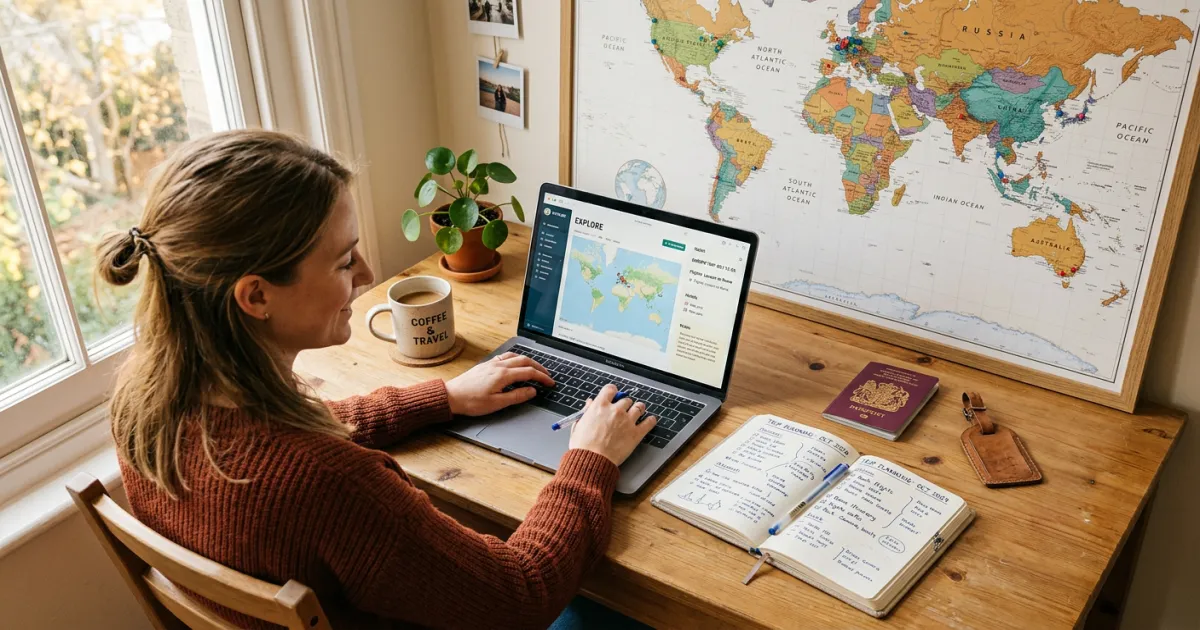
Planning a trip feels overwhelming because there’s no obvious starting point. Do you pick the destination first or the dates? Do you book flights before hotels? When do you start thinking about what you’ll actually do each day? See our first time flying guide.
This guide walks through the entire process in order — from the first “I want to go somewhere” thought to walking out the door with everything organized. Each step builds on the last, so by the time you’re done, you’ll have a fully planned trip with a clear itinerary, confirmed bookings, and no loose ends. See our travel planning checklist.
Step 1: Decide Where and When
Start with two constraints: your available dates and your budget. These two factors narrow every destination in the world down to a manageable list. A $2,000 budget and five days off work points you toward domestic travel or budget-friendly international destinations. A $5,000 budget and two weeks opens up most of the world. If you are flexible on destination, browse our guide to the cheapest countries to visit.

Check your destination’s peak season, shoulder season, and off-season. Shoulder season (the weeks just before or after peak) typically offers the best balance of good weather, fewer crowds, and lower prices. Check visa requirements early — some countries require applications weeks or months in advance.
Step 2: Set Your Budget
Before you book anything, establish your total trip budget and break it into categories: flights (typically 20-30% of total), accommodation (25-35%), food (15-25%), activities (10-15%), and a 10% emergency buffer. Research average daily costs for your destination — a day in Bangkok costs very different from a day in London. For US trips specifically, check our guide on how to save money on your trip. To estimate your trip expenses, try our travel budget calculator.
Use our Travel Budget Template to set category budgets and track spending. Having a number for each category prevents the common mistake of spending too much on flights and accommodation, leaving too little for the experiences that make the trip memorable.
Step 3: Book Flights
Book flights 1-3 months before domestic trips and 2-4 months before international trips. Tuesday and Wednesday departures are typically cheapest. Use Google Flights to compare prices across dates — the calendar view shows the cheapest day to fly in each direction.
Once booked, save your confirmation email and add the flight details to your itinerary. Our Travel Itinerary (Google Docs) and Travel Itinerary (Excel) templates both have dedicated flight sections for this.
If your flight includes a layover, learn whether you can leave the airport and compare free airline layover programs.
Step 4: Book Accommodation
Location matters more than luxury. A centrally located hotel that’s a 10-minute walk from major attractions saves hours in transit time compared to a cheaper option 45 minutes away. For trips longer than a week, consider apartments or vacation rentals — the kitchen alone saves significant money on meals.
Book accommodation with free cancellation when possible. Your plans may evolve, and flexible bookings let you adjust without losing money. Add check-in times, addresses, and confirmation numbers to your itinerary immediately after booking.
Plan Your Trip Today!
Get a complete, personalized trip template in seconds.
Take full control to customize every detail.
Step 5: Research Activities and Build Your Itinerary
This is where the trip goes from “I’m going to Rome” to “I know what I’m doing every day in Rome.” Research the top attractions, restaurants, neighborhoods, and day trips at your destination. Then arrange them into a day-by-day schedule that accounts for geography — group activities that are near each other on the same day to minimize wasted transit time.
For U.S. trips, you can explore activities by destination to find curated options sorted by city and activity type.
A realistic daily plan includes one major activity (a museum, a guided tour, a hike), one minor activity (a neighborhood walk, a market visit), and three meals. Overscheduling is the #1 trip-planning mistake — leave gaps for spontaneity, rest, and the unexpected discoveries that become your best travel memories.
Choose the itinerary format that fits your planning style (or grab a free itinerary template to get started quickly):
- Google Docs — clean document, easy to share and print
- Google Sheets — spreadsheet with automatic budget calculations
- Excel — offline spreadsheet with formulas
- Word — customizable printable document
- Full Travel Planner — the most comprehensive option covering research through packing
Step 6: Handle Logistics
The details that aren’t exciting but will ruin your trip if you skip them: passport validity (many countries require 6 months beyond your travel dates), visa applications, travel insurance, bank notification (so your cards work abroad), phone plan or international SIM card, and any required vaccinations. Use a travel document organizer to keep all these details in one place.
Our Travel Planner Template includes a international travel checklist specifically designed to catch these items weeks before departure. The most stressful travel problems aren’t itinerary problems — they’re “my passport expired” problems.
Step 7: Pack and Organize Documents
Pack based on your itinerary, not based on “what if” scenarios. If your schedule shows three dinners at casual restaurants, you don’t need four formal outfits. Check the weather forecast a week before departure and adjust.
Gather all your travel documents — booking confirmations, insurance policy, passport copies, itinerary — into one place. The Yopki Travel Document Organizer combines all your PDFs, confirmations, and itinerary into a single organized travel packet you can access offline or print.
Trip-Specific Planning Guides
Different trip types need different approaches:
- Road Trip — plan by driving legs, not days. Focus on route, stops, and overnight accommodations.
- Cruise — plan around port days vs. sea days. Book excursions and specialty dining early.
- Family Vacation — plan around nap times and kid-friendly activities. One major activity per day.
- Business Trip — plan around meeting schedule. Focus on logistics and expense tracking.
- Weekend Getaway — keep it simple. One full day to plan, two travel days to bracket it.
- Group Trip — shared planning doc with budget splitting and task assignment.
Planning an outdoor adventure? Learn how to plan a camping trip or how to plan a hiking trip with our step-by-step guides. Traveling with friends or family? See our guide on how to plan a group trip without the usual headaches.
Check our specialized guides for EV road trips, RV road trips, and cross country road trips.
Free Downloads: Trip Planning Tools
Trip Planning Checklist — Stay organized from three months before your trip to the day you leave. Covers research, bookings, packing, and day-of essentials.
Trip Planning Spreadsheet — A comprehensive Google Sheets template for planning your entire trip: day-by-day itinerary, accommodation tracker, budget planner, and more.
- Open Trip Planning Spreadsheet (Google Sheets) — Make a copy to use for your trip
- Watch: How to Use This Template (Video)
More free templates at yopki.com/templates
Destination and Trip Planning Guides
We have created detailed planning guides for 175+ destinations and every type of trip. Each guide includes verified costs, sample itineraries, and practical tips.
Popular Destination Guides
- How to Plan a Trip to Italy
- How to Plan a Trip to Japan
- How to Plan a Trip to Hawaii
- How to Plan a Trip to Europe
- How to Plan a Trip to Disney World
- How to Plan a Trip to Greece
- How to Plan a Trip to Iceland
- How to Plan a Trip to Ireland
- How to Plan a Trip to Paris
- How to Plan a Trip to Costa Rica
- How to Plan a Trip to Thailand
- How to Plan a Trip to London
US Destinations
- New York City · Washington DC · Las Vegas · Chicago · Boston · San Francisco · Los Angeles · Miami · San Diego · Nashville · New Orleans · San Antonio · Charleston · Seattle · Portland, Maine · Anchorage · Fairbanks
- Alaska · California · Colorado · Florida · Hawaii · Maine · Montana · Oregon · Tennessee · Texas · Arizona · Georgia · Kentucky · Wyoming · Utah · New Mexico
- Branson MO · Salem MA · Puerto Rico · Napa Valley · Key West · Florida Keys · Jackson Hole · Sedona · Cabo San Lucas · Cancun · Hilton Head Island · Myrtle Beach · Martha’s Vineyard · Oahu · Maui
- Gatlinburg · Pigeon Forge · Dollywood · Orlando · Graceland · Hersheypark · Wisconsin Dells · Roswell · St. Augustine · St. Louis · Cape Canaveral · Port Aransas · Walla Walla · Geneva-on-the-Lake
National Parks and Natural Wonders
- Yellowstone · Yosemite · Glacier National Park · Grand Canyon · Zion National Park · Acadia National Park · Sequoia National Park · Redwood National Park · Denali · Mount Rushmore · Niagara Falls · Boundary Waters
- Utah’s Mighty Five · US National Parks Trip Planner · California Coast Road Trip · Olympic Peninsula (Forks) · Catalina Island · Homosassa Springs · Seward and Kenai Fjords · Lake Tahoe
Europe
- Europe Overview · Italy · France · Spain · Portugal · England · Scotland · Germany · Greece · Iceland · Ireland · Switzerland · Croatia · Norway
- Paris · London · Rome · Barcelona · Amsterdam · Bruges · Reykjavik · Santorini · Amalfi Coast
- Czech Republic · Poland · Albania · Montenegro · Finland · Azores
- Ireland and Scotland · Italy and Greece · European City Breaks Guide
Asia and Pacific
- Japan · Tokyo · Thailand · Bali · Indonesia · Vietnam · South Korea · Philippines · India · China · Maldives · Australia · New Zealand
- Fiji · Bora Bora · Pacific Islands Trip Planner
Americas
- Mexico · Mexico City · Tijuana · Costa Rica · Belize · Colombia · Brazil · Peru · Patagonia · Jamaica · Dominican Republic · Bahamas
- Canada · Banff · Nova Scotia
- Caribbean Overview · Aruba · US Virgin Islands · St. Thomas · St. John · Turks and Caicos · St. Lucia · Caribbean Islands Planner
Africa, Middle East, and Caucasus
- Africa · South Africa · Morocco · Egypt · Ghana · Galapagos Islands
- Dubai · Israel · Azerbaijan · Armenia
Theme Parks and Attractions
- Disney World · Disneyland · Universal Studios · Dollywood · Hersheypark
- Northern Lights · Auschwitz-Birkenau
Regional Guides and Hub Pages
- US National Parks Trip Planner · Alaska Destinations Guide
- Weekend Trips: Southeast US · Northeast US · Southwest US · Midwest US
- Day Trips: Texas · Florida · California
- Caribbean Islands Planner · European City Breaks · Small Town America Getaways · Pacific Islands Planner
Trip Type Guides
- Road Trip · Camping Trip · Hiking Trip · Backpacking Trip · Group Trip · Ski Trip · Honeymoon · Weekend Trip
Road Trip Guides
- EV Road Trip · RV Road Trip · Route 66 · National Park Road Trip · Baseball Road Trip · Cross Country Road Trip · California Coast
Layover and Airport Guides
- Can You Leave the Airport During a Layover?
- Customs During a Layover
- How Long of a Layover Do You Need?
- Layover vs. Stopover
- Airline Layover Programs
- Browse All Airport Layover Guides
Planning Tools
FAQ
How far in advance should I plan a trip?
For domestic trips, 1-2 months is usually enough. For international trips, start 3-6 months ahead — especially if you need visas, vaccinations, or travel during peak season. The earlier you book flights and accommodation, the more options you have and the better prices you’ll find.
How do I plan a trip on a budget?
Set a firm total budget before you start, then work backward. Choose destinations where your currency goes further. Travel in shoulder season. Book accommodation with kitchens to reduce meal costs. Use our Travel Budget Template to track every dollar from planning through the trip itself.
What’s the best app or tool for trip planning?
It depends on your style. If you want maximum flexibility and no subscription costs, free templates in Google Docs or Sheets give you full control. If you prefer AI-assisted planning, an AI travel planner can generate a customized itinerary in minutes. If you prefer automated organization, apps like TripIt compile your booking emails automatically. See our roundup of the best travel planning apps for a full comparison. We offer free templates in every format — Google Docs, Sheets, Excel, and Word — so you can plan in whatever tool you already use.
How do I plan a trip with multiple destinations?
Plot your destinations on a map and connect them in a logical geographic route (don’t zigzag). Allocate days based on how much there is to do in each city — not equally. Book internal transportation (trains, flights, buses) between cities as part of your flight planning step. Use our Road Trip Itinerary if you’re driving or the standard Travel Itinerary for multi-city fly-in trips.